Create stunning Screen Recordings. No Editing Skills Needed.
Effortlessly capture, enhance, and share your content with unparalleled clarity and style in every creation.

Screencasts AI Native
Value Proposition & Features
Canvid is an AI‑enhanced screen recording tool for Windows and macOS focused on producing polished product demos, tutorials, support videos, and internal updates with minimal manual editing. [^E1] [^qyux08] [^4wl56c] It aims to let users “create stunning screen recordings” by combining automatic camera moves, audio cleanup, and captions so that non‑experts can ship professional screencasts for workflows like Screencasts. [^E1] [^uzk1ve] Canvid’s workflow is described as “edit while you record,” turning clicks into keyframes so most visual polish is handled during capture rather than in a traditional editor. [^o7pf9f] [^4wl56c]
Canvid’s core recording and camera workflow detects cursor activity and clicks, automatically zooming the frame around interactions and allowing those zooms to be adjusted afterward in a timeline. [^o7pf9f] [^o43mlt] The app records screen, webcam, and microphone together, adds cursor effects and background blur, and supports up to 4K resolution for exports. [^o7pf9f] [^u36k9a] A cloud share path lets users distribute recordings as links when they do not need a full round‑trip into a non‑linear editor. [^hf4ebz] [^wie1g6]
Its AI‑assisted enhancement layer focuses on clean mic audio, motion smoothing, and captions, giving recordings “unparalleled clarity and style” without complex editing steps. [^E1] [^uzk1ve] Canvid’s auto‑zoom and cursor‑focused presentation are tuned specifically for product demos and tutorials, reducing the need to manually keyframe zooms or track the cursor. [^4wl56c] [^o43mlt]
Its editing‑while‑recording approach means clicks become keyframes that drive automatic zooms and camera moves, which users can tweak in a simple timeline instead of re‑building an edit from scratch. [^o7pf9f] This reduces post‑production time and makes short, high‑polish recordings easier for non‑video‑specialists in support, product, and customer success roles. [^jnr7rj] [^iv9vos]
- Automatic click‑based zooms that follow cursor activity and add zoom sections around clicks and movements, tuned for demos and tutorials. [^o43mlt] [^o7pf9f]
- Native Windows and macOS apps with AI‑enhanced screen recording, webcam, and microphone capture. [^o7pf9f] [^hf4ebz] [^u36k9a]
- Timeline with adjustable zooms and cursor effects, enabling light post‑capture refinement without full video editing complexity. [^o7pf9f]
- Clean mic audio and webcam background blur for more professional‑looking recordings without external audio or video tools. [^E1] [^uzk1ve]
- Caption support to make recordings more accessible and easier to follow in async sharing contexts. [^E1] [^o7pf9f]
- Up to 4K recording and exports for high‑resolution demos and tutorials. [^o7pf9f]
- Cloud share path for exporting recordings as links instead of only local files. [^hf4ebz] [^wie1g6]
- AI‑native “edit while you record” workflow, where clicks become keyframes that drive automated visual polish. [^o7pf9f] [^4wl56c]
Product Roadmap / Announcements
As of September 13, 2026,
- 2026‑08‑20 — Canvid 3.1.1 audio control update: A LinkedIn post from Canvid announces “CANVID 3.1.1 is here! You can now adjust the volume of individual clips directly on the timeline, giving you more control over your audio while editing.” [^xq4onv]
- No other public roadmap or structured changelog for Canvid was found in the past six months; comparison pages note pricing and platform support but do not list forward‑looking features. [^hf4ebz] [^gcz7z6]
Recent Developments (past 90 days)
- 2026‑08‑16 — Positioning as “Screen Studio, but on Windows”: Screentell’s guide to Screen Studio alternatives describes Canvid as “another direct answer to the ‘Screen Studio, but on Windows’ problem,” emphasizing Windows and macOS support, auto zoom, and polished cursor‑focused recordings. [^o43mlt] [^qyux08]
- 2026‑08‑16 — Pricing confirmation: The same article and a separate FocuSee alternatives piece both report Canvid at $7/month billed yearly and $75 lifetime, with unlimited exports and up to 4K recording; pricing was checked August 2026. [^o43mlt] [^o7pf9f] [^nxjs6u]
- 2026‑08‑17 — Loom alternatives positioning: Screentell’s Loom alternatives article lists Canvid as a Windows/Mac auto‑zoom demo tool with a “record → auto‑polish → export/share” workflow and notes it offers both subscription and lifetime‑license options. [^4wl56c] [^jnr7rj] [^3y94pq]
- 2026‑08‑25 — Vidova comparison update: Vidova’s comparison page describes Canvid as a Windows and Mac auto‑zoom recorder with a cloud share path and lists a Pro plan at $84/year and a desktop lifetime license at $75. [^hf4ebz] [^wie1g6] [^m6vspq]
- 2026‑09‑05 — GetApp listing: GetApp categorizes Canvid as an AI‑enhanced screen recording tool that lets users “effortlessly capture, enhance, and share their content” for tutorials, demos, presentations, and lectures. [^u36k9a] [^uzk1ve]
History and Origin Story
Available sources describe Canvid as a small software development company with a workforce of four people building AI‑enhanced screen recording tools for Windows and Mac. [^E1] GetApp and Screentell articles frame Canvid as a response to demand for Screen Studio‑style polished demos on Windows, positioning it as a native desktop app focused on product demos, tutorials, support videos, and internal updates. [^o43mlt] [^o7pf9f] [^u36k9a] No reliable public information was found on the founding date, individual founders, or early company milestones.
Notable Team Members
Canvid is reported as a four‑person software development company, but none of the retrieved sources name individual founders or executives; LinkedIn and funding databases referenced in search results either concern unrelated companies or generic templates. [^E1] [^va3hs5] [^1vbefo] Without verifiable names tied explicitly to canvid.com, notable team members cannot be profiled reliably.
Market Sizing
Category, Market Size, and Category Growth
Canvid operates in the screen recording software and AI video production / AI screen recorder categories, specifically serving polished product demo and asynchronous communication use cases. [^o7pf9f] [^u36k9a] Data from analyst‑style reports indicates the global screen recorder market was valued around USD 1.64 billion in 2025–2026, with projections to reach about USD 4.03 billion by 2035 at ~9–10% CAGR. [^ovv4se] [^ov059h] Separate research on AI video generator/production tools estimates a 2026 market in the USD 847–946 million range, growing to USD 3.35–3.44 billion by 2033–2034 with ~18–20% annual growth, implying that AI‑enhanced tools like Canvid participate in a rapidly expanding subset of the broader video and screen‑recording market. [^5sk3vy] [^kza180] [^p3zxt7]
Pricing
Public comparisons and reviews provide consistent pricing for Canvid, though one table uses slightly different annual labeling.
| Tier / Option | Price | Notes |
|---|---|---|
| Subscription (annual) | $7/month billed yearly | Reported by Screentell’s FocuSee alternatives and Screen Studio alternatives, checked August 2026; includes unlimited exports and up to 4K recording. [^o43mlt] [^o7pf9f] [^nxjs6u] |
| Pro (annual) | $84/year | Vidova’s comparison table lists “Pro $84/year” for Canvid, equivalent to $7/month on yearly billing. [^m6vspq] [^hf4ebz] |
| Lifetime desktop | $75 one‑time | Both Screentell and Vidova comparisons describe a lifetime license option at $75. [^o43mlt] [^o7pf9f] [^m6vspq] |
| Free tier | Not mentioned | No source clearly confirms a free plan for Canvid; mentions of free plans in comparison tables apply to other tools. [^m6vspq] [^ezy8is] |
Revenue Trajectory Estimates
No reliable source found with reported or estimated revenue, ARR, or user counts specific to Canvid; market reports and funding trackers concern broader categories or other companies. [^ov059h] [^p3zxt7]
Competitive Landscape
Who it’s for, who it’s not for
Canvid is for founders, product teams, support engineers, and creators who need polished, cursor‑focused demos and tutorials on Windows or macOS without investing in complex video editors. [^o43mlt] [^o7pf9f] Screentell and Vidova compare it directly with tools like Screen Studio and Vidova, emphasizing its fit for product demos, tutorials, support videos, and internal updates where automatic zooms and quick cloud sharing matter more than deep multi‑track editing. [^jnr7rj] [^wie1g6] In workflows already centered on tools like Canvid and ScreenStudio, it slots into the same “polished demo screencast” niche. [^8fjxw3] [^iv9vos]
It is not ideal for heavy post‑production, long‑form content, or teams needing advanced NLE features, interactive docs, or CRM‑integrated sales video; alternative tools like Camtasia, Descript, or Vidyard offer deeper editing, training features, or sales integrations. [^fqvxa7] [^dnf4kb] For users who primarily want browser‑based async video messaging with analytics (e.g., Loom) or fully AI‑generated videos (text‑to‑video tools), Canvid’s local recorder and demo‑focused workflow may be over‑specialized. [^4wl56c] [^kc8cnb]
Viable Alternatives
- Screen Studio – Mac‑only recorder known for automatic cursor‑following zooms and polished demos; closest match for Mac users who do not need Windows support. [^8fjxw3] [^fqvxa7]
- FocuSee – Mac and Windows recorder with automatic zoom and 3D motion effects; mentioned alongside Canvid as a near‑like alternative for auto‑zoom demos. [^8fjxw3] [^iv9vos]
- Vidova – AI screen recorder and automatic editor for Mac and Windows that exports into local files and NLE formats; compared head‑to‑head with Canvid, but with a stronger editing focus. [^ezy8is] [^wie1g6] [^hf4ebz]
- Loom – Category‑defining async video messaging tool with fast screen recording and share links, better suited for simple async communication than polished demos. [^kc8cnb] [^fqvxa7] [^dnf4kb]
- Cap – Open‑source async recorder with instant sharing and optional self‑hosting, for teams prioritizing open‑source and infrastructure control over auto‑zoom polish. [^fqvxa7] [^7w9s4g]
Competitor Table
| Competitor | Description |
|---|---|
| Screen Studio | Mac‑only screen recorder focused on polished product demos with automatic cursor‑following zooms and minimal editing. [^8fjxw3] [^fqvxa7] |
| FocuSee | Windows and Mac recorder offering automatic zoom and 3D motion, positioned as an auto‑zoom‑first alternative for demo videos. [^8fjxw3] [^iv9vos] |
| Vidova | AI screen recorder and automatic video editor for Mac and Windows that captures screen, camera, and mic, then auto‑edits into shareable files and NLE formats. [^ezy8is] [^wie1g6] [^hf4ebz] |
| Loom | Leading async video messaging tool that records screen and camera into shareable links with analytics, optimized for quick team updates and support explanations. [^kc8cnb] [^dnf4kb] [^fqvxa7] |
| Cap | Open‑source macOS/Windows/Linux recorder providing async video via share links and optional self‑hosting, with more emphasis on infrastructure flexibility than automatic visual polish. [^fqvxa7] [^7w9s4g] |
[^E1]: Canvid — https://www.canvid.com/
Sources
1: Screen Studio for Windows: What to Use Instead in 2026 2: 7 Best FocuSee Alternatives in 2026 (Free, Mac & Web) 3: 7 Best Loom Alternatives for Product Demos in 2026 - Screentell 4: Compare Vidova with other screen recorders | Vidova 5: Avid Media Composer 2026.8 Coming Soon – AI Multicam Cutting ... 6: ChatGPT Descendant Could Watch Screens, Record Meet… 7: ChatGPT Could Be Watching Your Screen Within Six Months, Altman Says 8: Vidova vs CANVID 9: A comparison of the load on PC game screen recording using 'Windows Game Bar,' 'OBS,' 'NVIDIA's recording function,' 'AMD's recording function,' and 'Streamlabs' has been released. 10: [Gemini Omni 1.1 Flash Ships 40-Sec Scenes, 4K Video 2026](https://shattered.io/gemini-omni-1-1-flash-video-2026-2/) 11: Today in AI: Your Screen, Your Meetings, AI's New Frontier 12: PCゲームの画面録画による負荷を「Windowsのゲームバー」「OBS ... 13: Canva Hits 100 Visual Suite Updates: What Matters for Teams - TechRepublic 14: [[August 2026 Update] AI Video Shifts from "Cropping" to " ...](https://note.com/d_aerial/n/ncced003ca612?hl) 15: Google Enhances AI Video with Omni 1.1 Flash 16: Best AI Screen Recording Tools for Founders in 2026 17: Descript vs Screen Studio: Pricing, Features, and Which to Choose (2026) 18: 8 Best Screen Studio Alternatives (2026) | ngram.com [^iv9vos]: Screen Recording & Product Demo Guides | ScreenBuddy [^fqvxa7]: Best 7 Screen Recording Software in 2026 | PickMySoft 21: Loom vs ScreenRec: Pricing, Features, and Which to Choose (2026) [^dnf4kb]: Screen Studio Alternatives 2026: 6 Top Picks | Tolodora 23: I tried all loom alternatives this is what I found [^8fjxw3]: Best AI Screen Recorders in 2026: Loom vs Tella vs Screen ... 25: Best AI Screen Recorders in 2026 - tight.studio 26: 10 Loom alternatives in 2026 for async video and demos | Tight Studio 27: CanVid for iOS - Free download and software reviews - CNET Download 28: Video Editing Software - Page 9 [^wie1g6]: Y Combinator Company Scraper – Founders & Leads - Apify [^7w9s4g]: Restaurant Company Profile... 31: Kartic Vaidyanathan posted on LinkedIn 32: Keral Prasad Yadaw, Cupid Ltd: Profile and Biography 33: About Cavendish Financial PLC (CAV) - Investing.com AU [^o43mlt]: Kevin Scott (informáticu) - Wikipedia) [^jnr7rj]: The LinkedIn mafia · NYTech [^u36k9a]: LinkedIn for founders [^va3hs5]: Reid Hoffman | Profile Wiki, Net Worth, Awards & More (2026) 38: Screenify Studio: Polished product demos on Mac recorded by ... 39: Clueso 40: How to Add Motion Graphics to Screen Recordings - Autocuts [^1vbefo]: The Definitive Guide to How to Make a Video of Your Screen in 2024 — How To Area 42: Screen Beaver: Content Creation AI Tool (2026) - Acid Tools 43: AI Screen Recorder and Automatic Video Editor | Vidova 44: getopenscreen/openscreen 45: For Clever Admins: How to set up Clever LMS Connect [^qyux08]: App Store Screenshots in Canva: How To and When Not [^4wl56c]: MiniTool Screen Recorder Download [^hf4ebz]: ShotCanvas [^o7pf9f]: AppScreenshots: Image Generation AI Tool | Bro Find AI 50: iCanvas - Annotate&ScreenShot - App Store - Apple
Sources (retrieved)
Related in the catalogue

AdCreative AI
adcreative.aiEmpowers your advertising with AI. Generate conversion-focused ad creatives, utilize AI for product photoshoots, and access detailed competitor insights. Our platform offers a comprehensive suite of tools for creating impactful ad texts and visuals, ensuring your campaigns stand out in a competitive market. Ideal for marketers seeking an all-in-one solution for innovative, data-driven advertising strategies.

HD Podcast & Video Software | Free Recording & Editing
riverside.fmRiverside is your online studio for high-quality podcast and video recording and editing. Powered by AI, built for human conversations. Get started for free.

Aside
aside.comA browser that gets complex work done across your websites, accounts, and history.
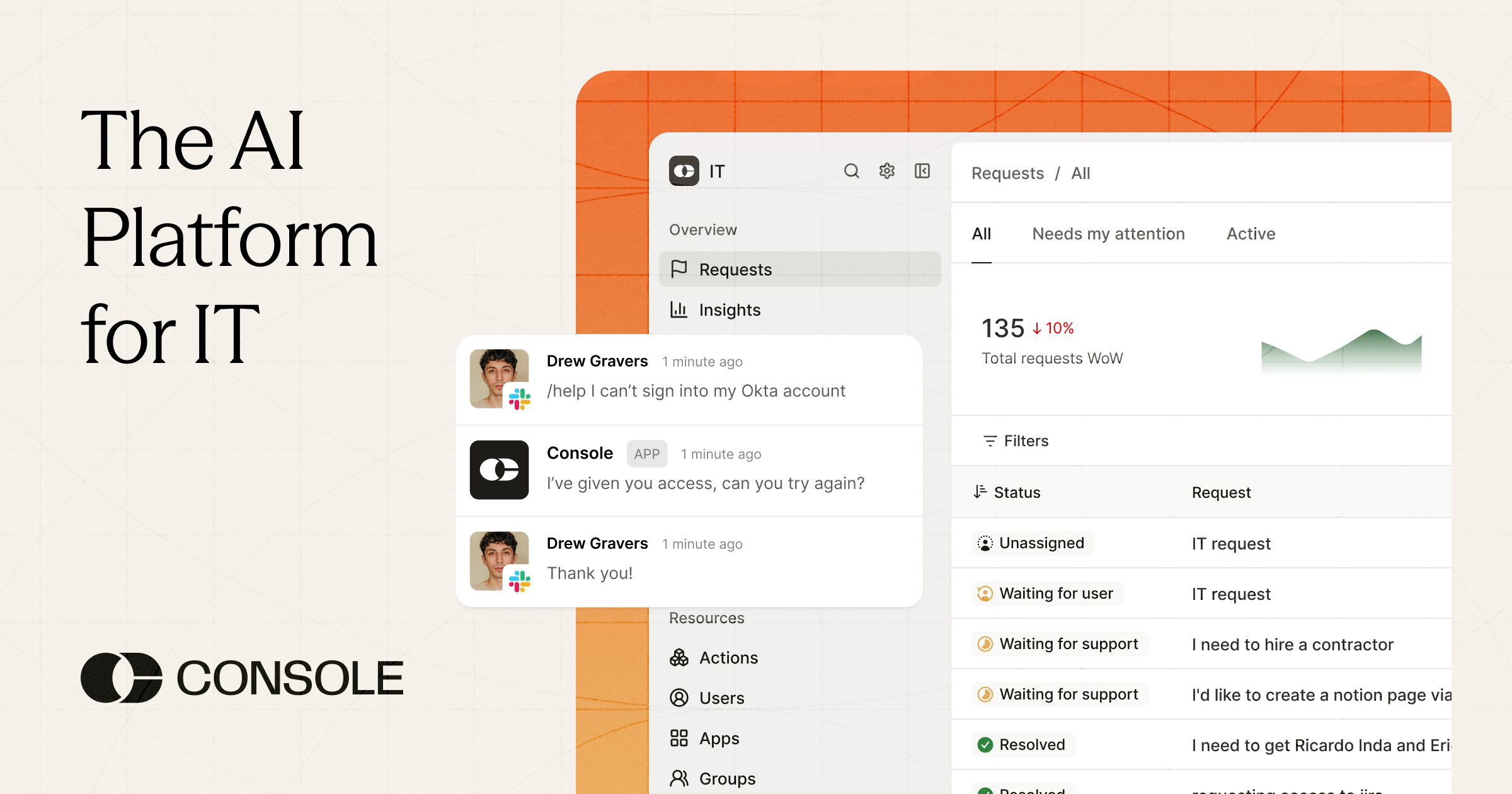
Console
console.comConsole helps IT teams get to Inbox Zero. Auto-resolve over 50% of your support requests directly in Slack and Teams, using AI Agents that understand how your company does work.